Design Concept for a Remote Work Planner
A design concept for a digital planner created to help remote teams organize tasks, track progress, and stay aligned.
Project

- UI/UX Designer
- Researcher
My Role
- User Research
- Wireframes
- High-fidelity Designs
- UI Kit
Deliverables
- From: September 2021
- To: November 2021
Timeline
About Project
During the shift to remote work, teams faced challenges in staying organized and maintaining clarity across tasks. Communication became fragmented, responsibilities were sometimes unclear, and team members lacked a shared overview of priorities.
The goal of Planner was to create a simple, intuitive tool that helps people see their daily tasks, understand their priorities, and structure their workload without unnecessary complexity.
Challenges
I explored how people experience remote work and what they expect from digital collaboration tools. Many existing solutions support teamwork, but each comes with its own limitations, which often leaves users switching between multiple apps.
To understand these patterns better, I analyzed direct competitors, indirect alternatives, and user feedback from the App Store. This helped reveal recurring challenges that remote teams commonly face.
Key challenges included:
Fragmented Communication
Information was scattered across chats and calls.
Overloaded Tools
Existing solutions felt too heavy for small teams.
Low Visibility
Teams had limited visibility into task ownership.
Weak Routine & Motivation
Remote work made it harder to maintain a daily structure.
User Survey Findings
Based on the previous research I conducted, I ran a brainstorming session to form initial hypotheses and then created a survey for a targeted audience. The goal was to understand what people value most in remote work and which interactions they miss when communicating digitally.
Through the survey, I identified the types of feedback people expect from their teammates, how they prefer to connect on a personal level, and what helps them stay aligned and motivated. Based on the responses, I ranked the features from the most important to the least:
Exchanging feedback inside the team.
A possibility of answering general, not work-related questions to get to know each other better.
Seeing the goals set by colleagues themselves and which goals they have reached.
Sharing their mood with co-workers through emojis and reactions.
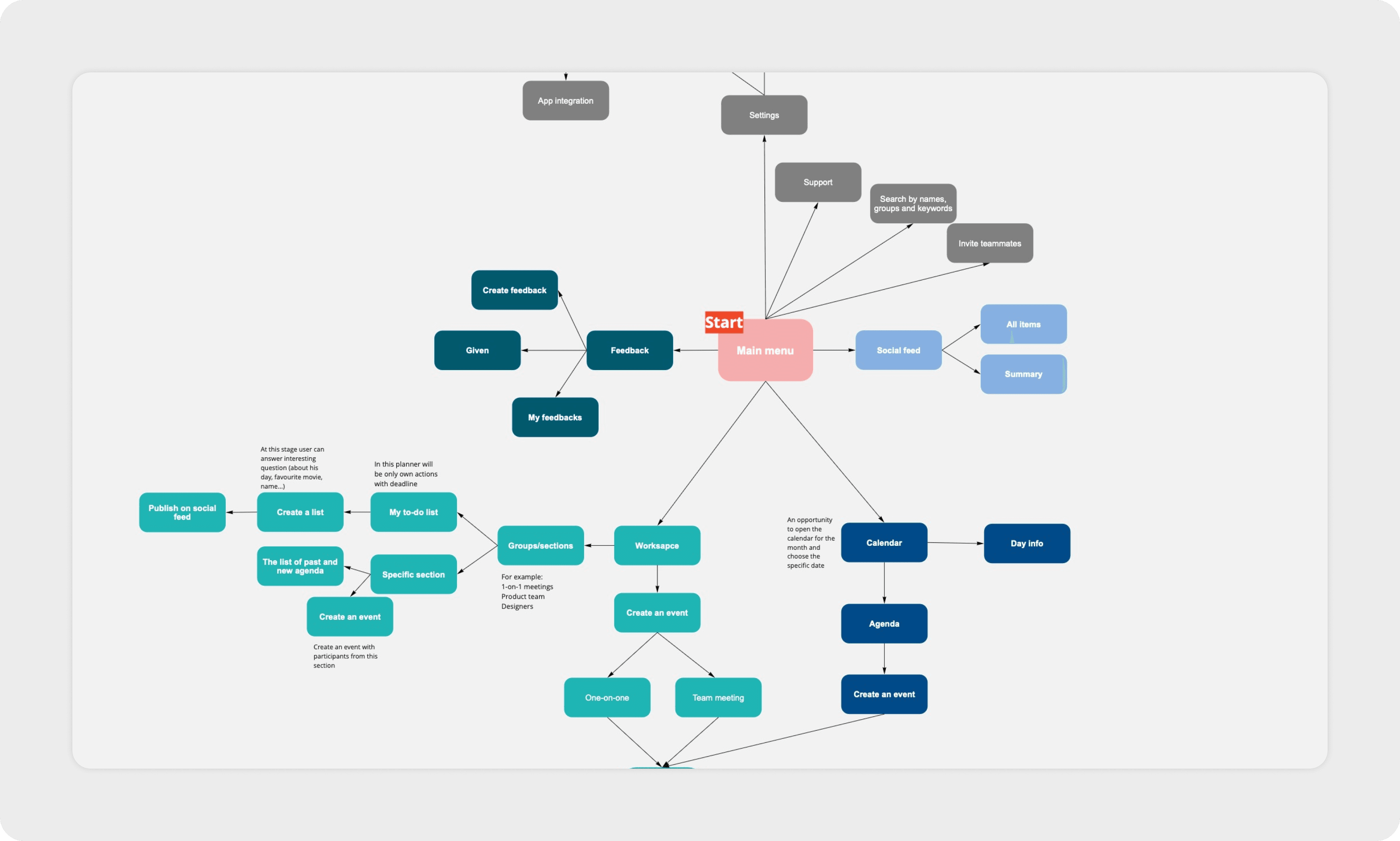
Based on these insights, I developed an app map to define the structure of the product and organize all key pages and interactions.
Working on Wireframes
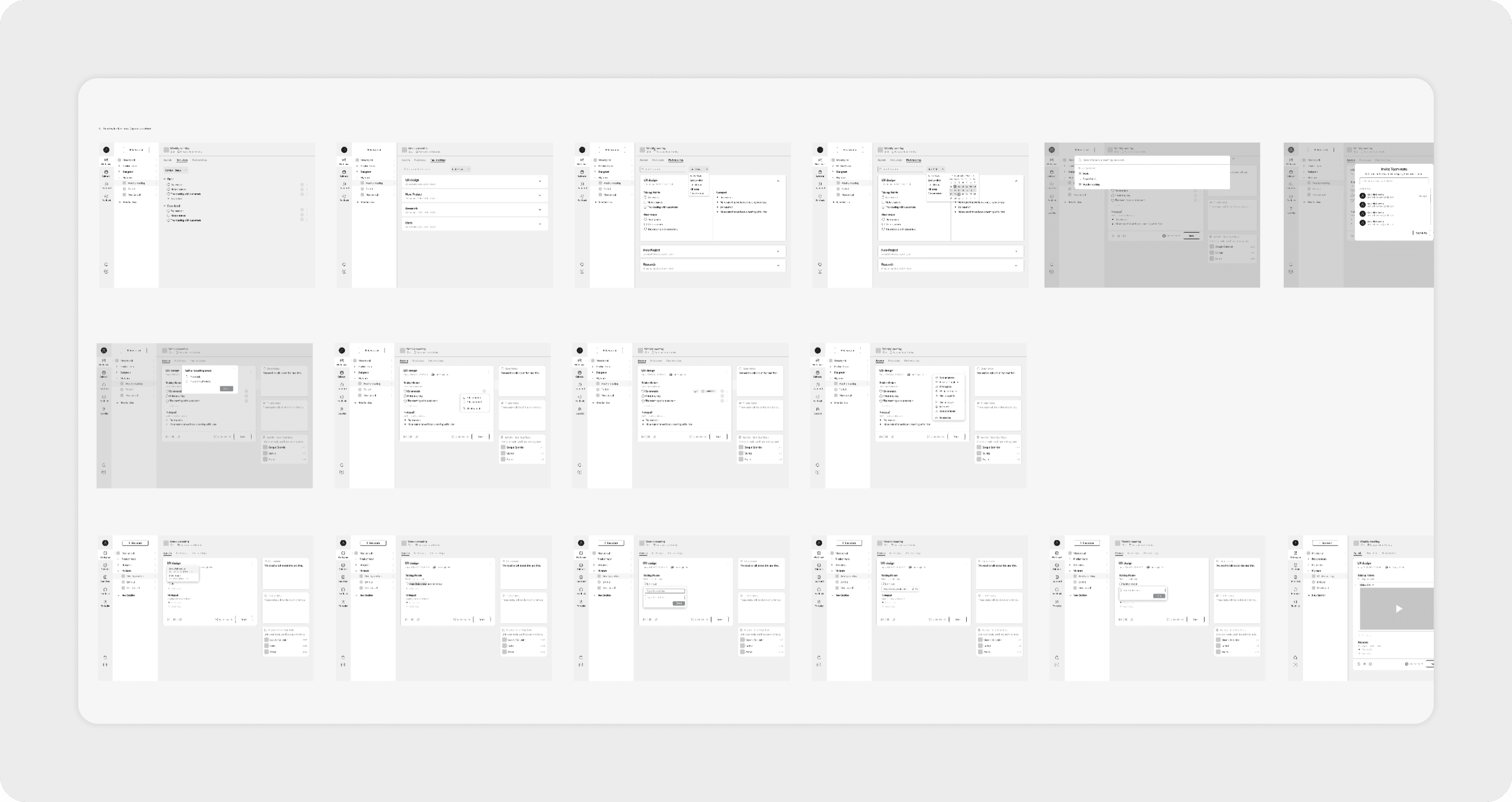
The next step was to structure the product in detail. I created wireframes that defined the layout of each core feature from the survey: feedback flow, goal-tracking sections, personal check-ins, and daily planning. This helped me organize the navigation, decide which screens should be connected, and clarify how users move through the app from the main menu to specific actions.
Exploring Visual Directions
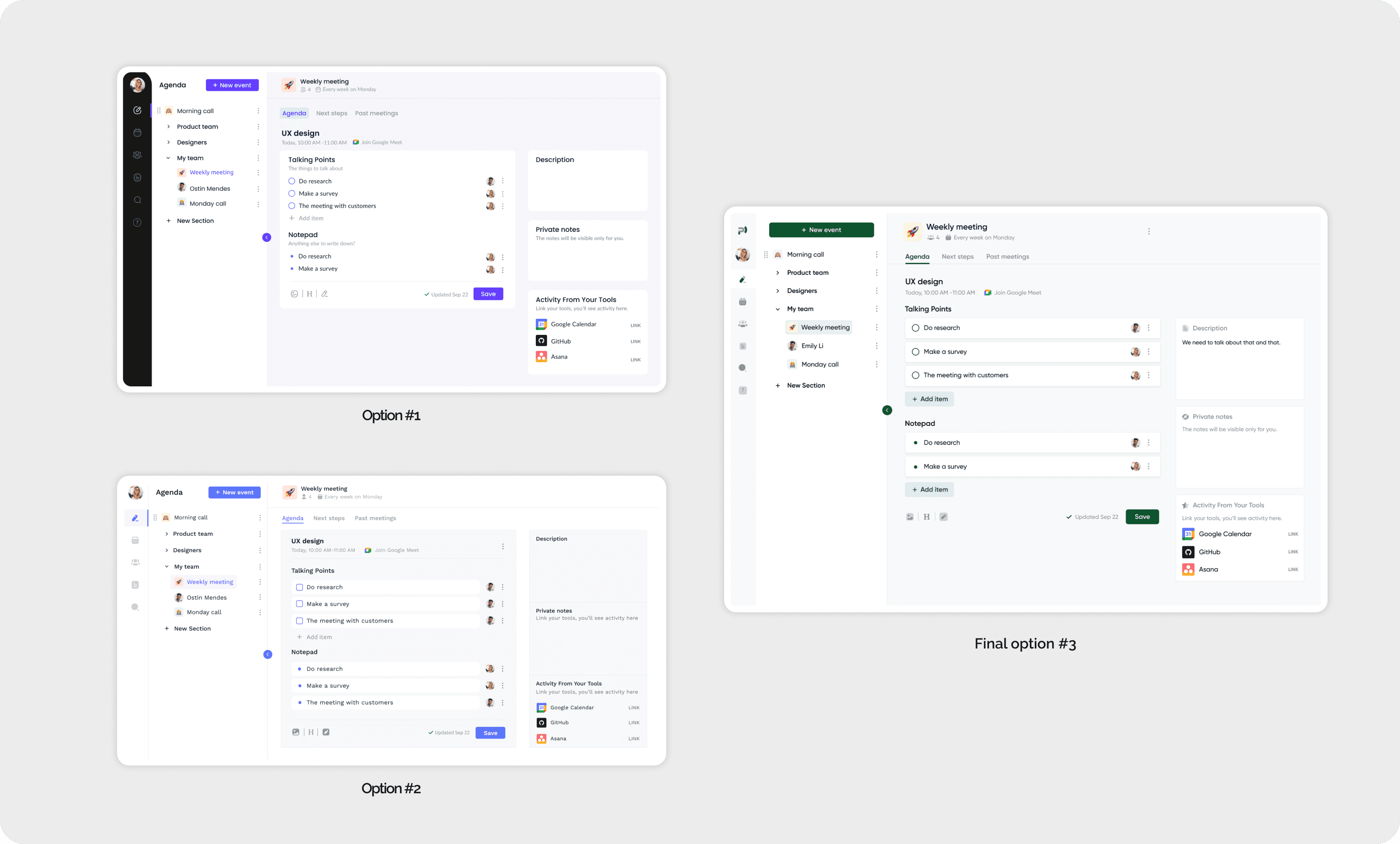
While working on the design, I explored three stylistic variations with different colors, typography, and interface elements to understand how each direction affected the overall feel of the product. After comparing the options, I chose the final version with the green color palette, as it felt the most balanced and aligned with the product’s purpose.
From the perspective of color psychology, green supports focus, calmness, and clarity — qualities that are essential for planning, organizing tasks, and maintaining a clear mind during remote work.
Final Designs
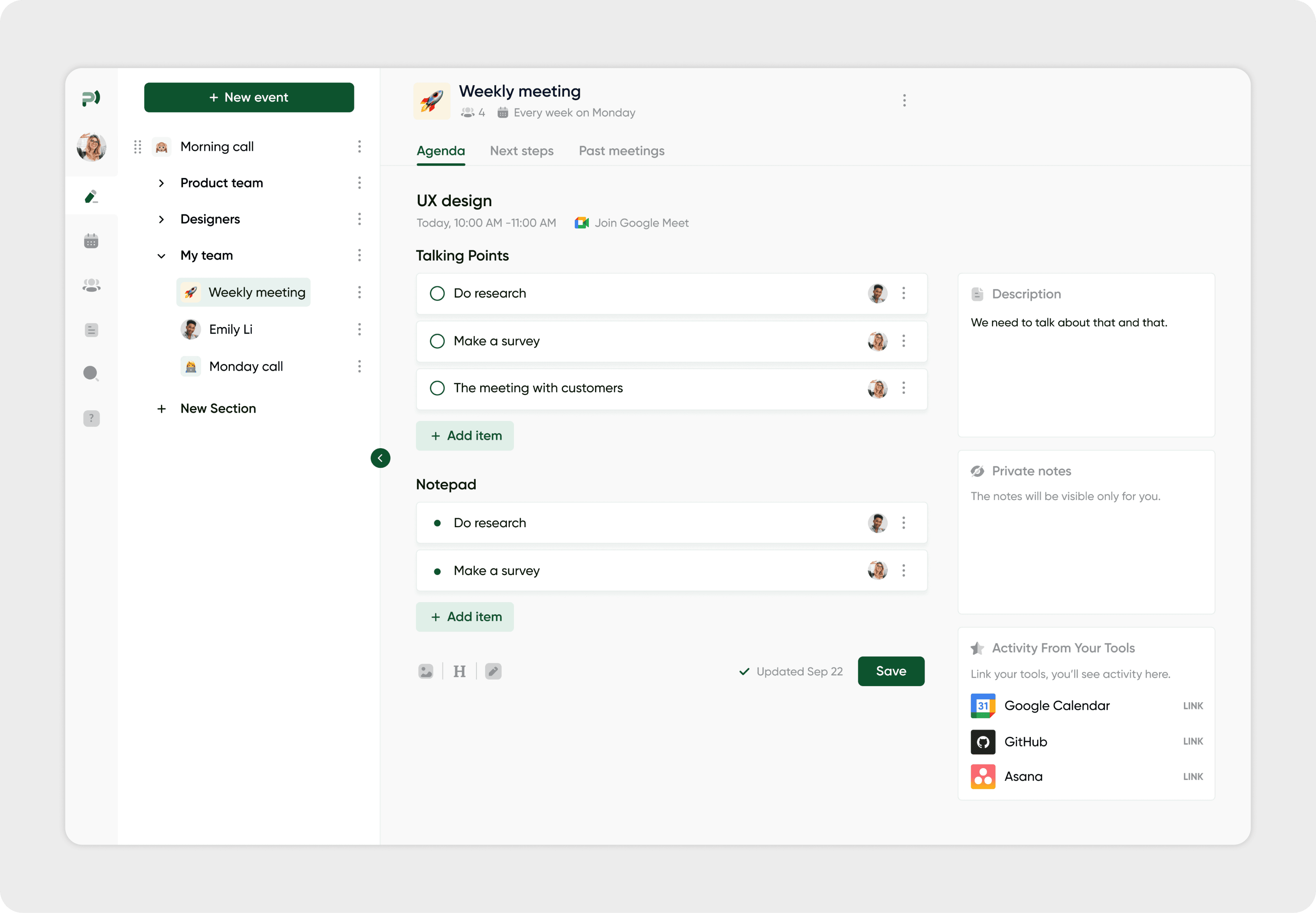
At the final stage, I created a set of high-fidelity prototypes to demonstrate how the product works in real interaction scenarios. These screens combine the visual style, selected color palette, and the full functionality defined earlier in the process.
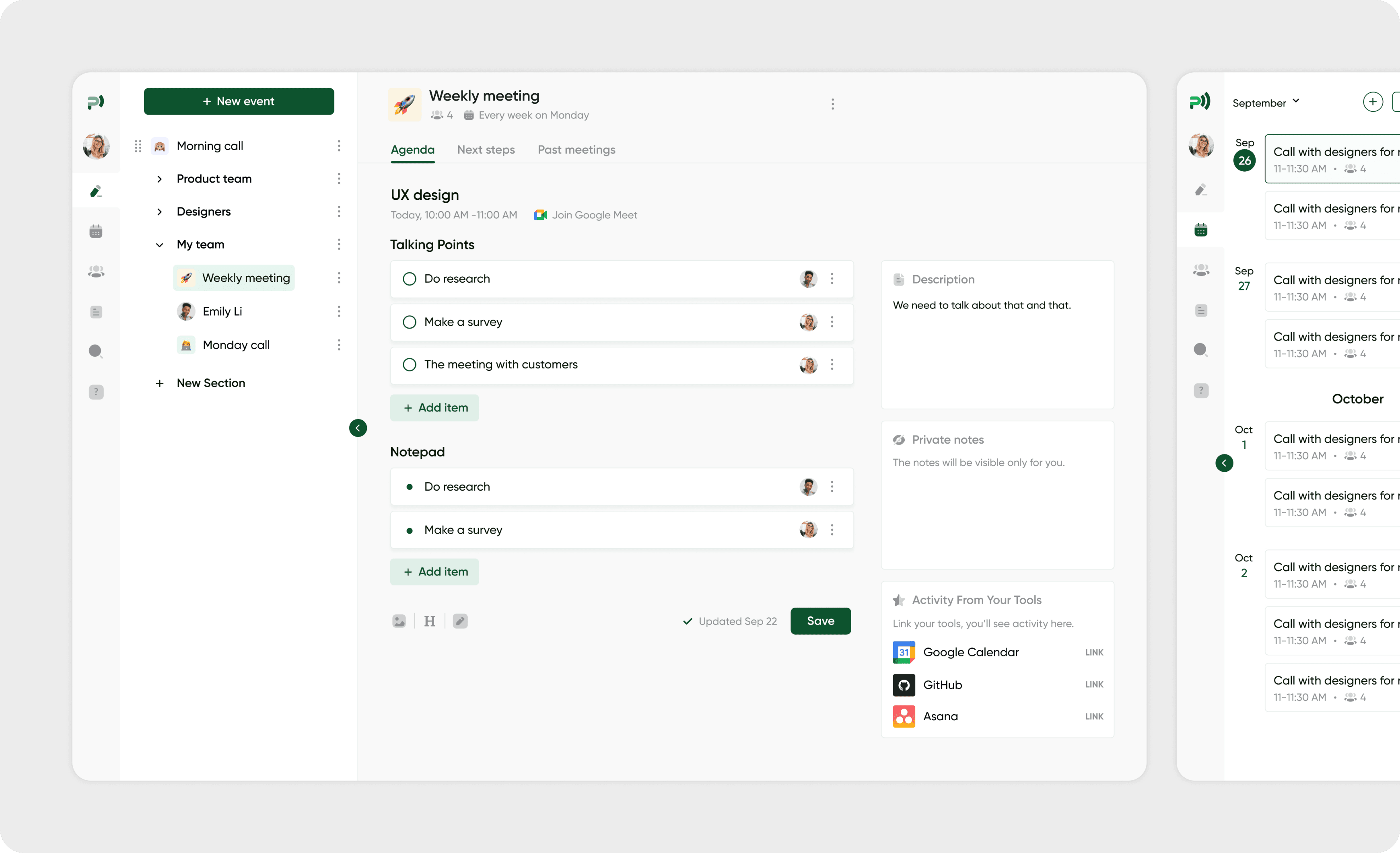
The Agenda view shows the structure of weekly meetings, talking points, and notes, allowing users to quickly navigate between dates and see the details of each meeting.
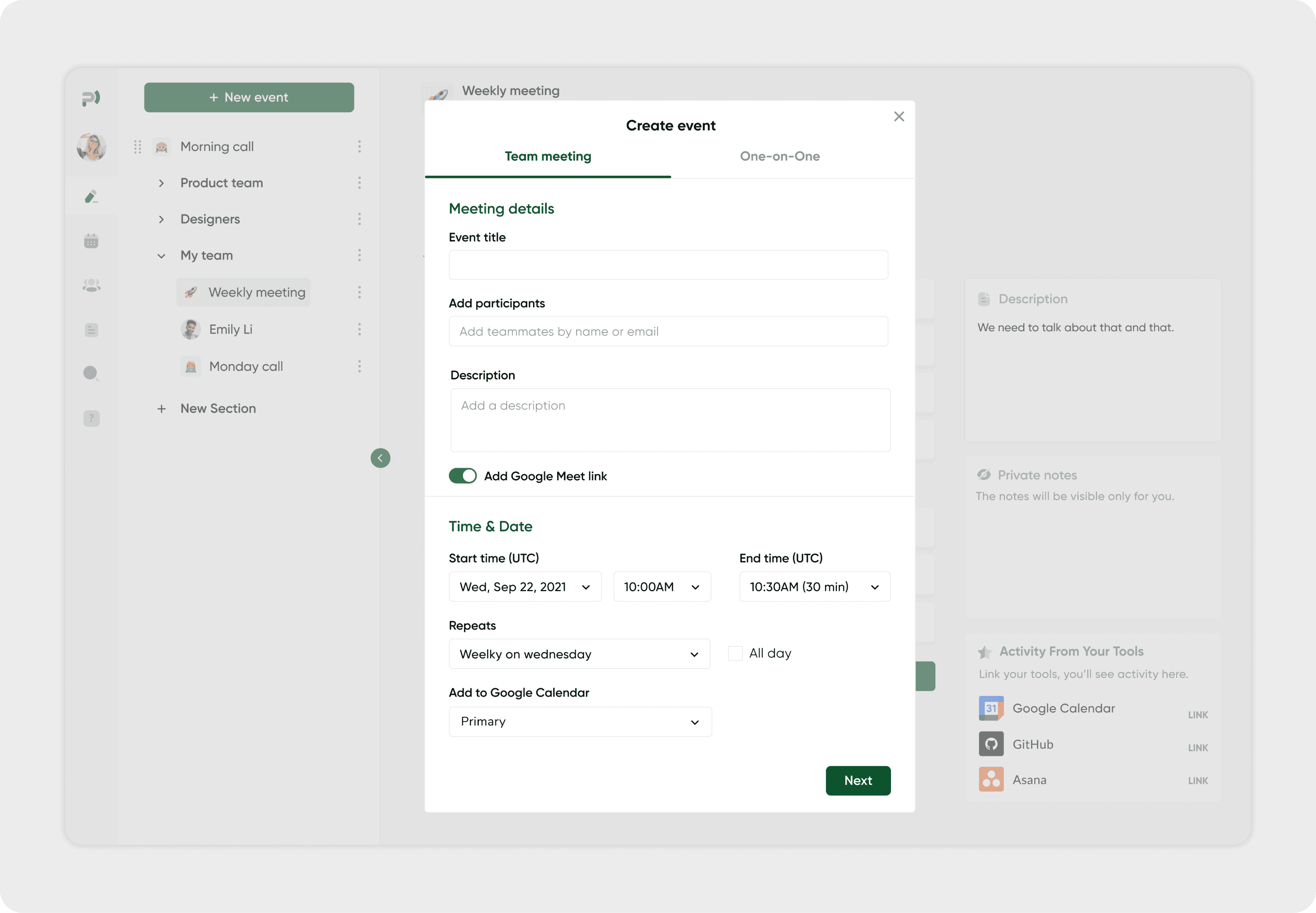
The Event creation flow illustrates how users can schedule new meetings, add participants, set descriptions, and connect Google Meet links — all in a clear, step-by-step layout.
To-Do List
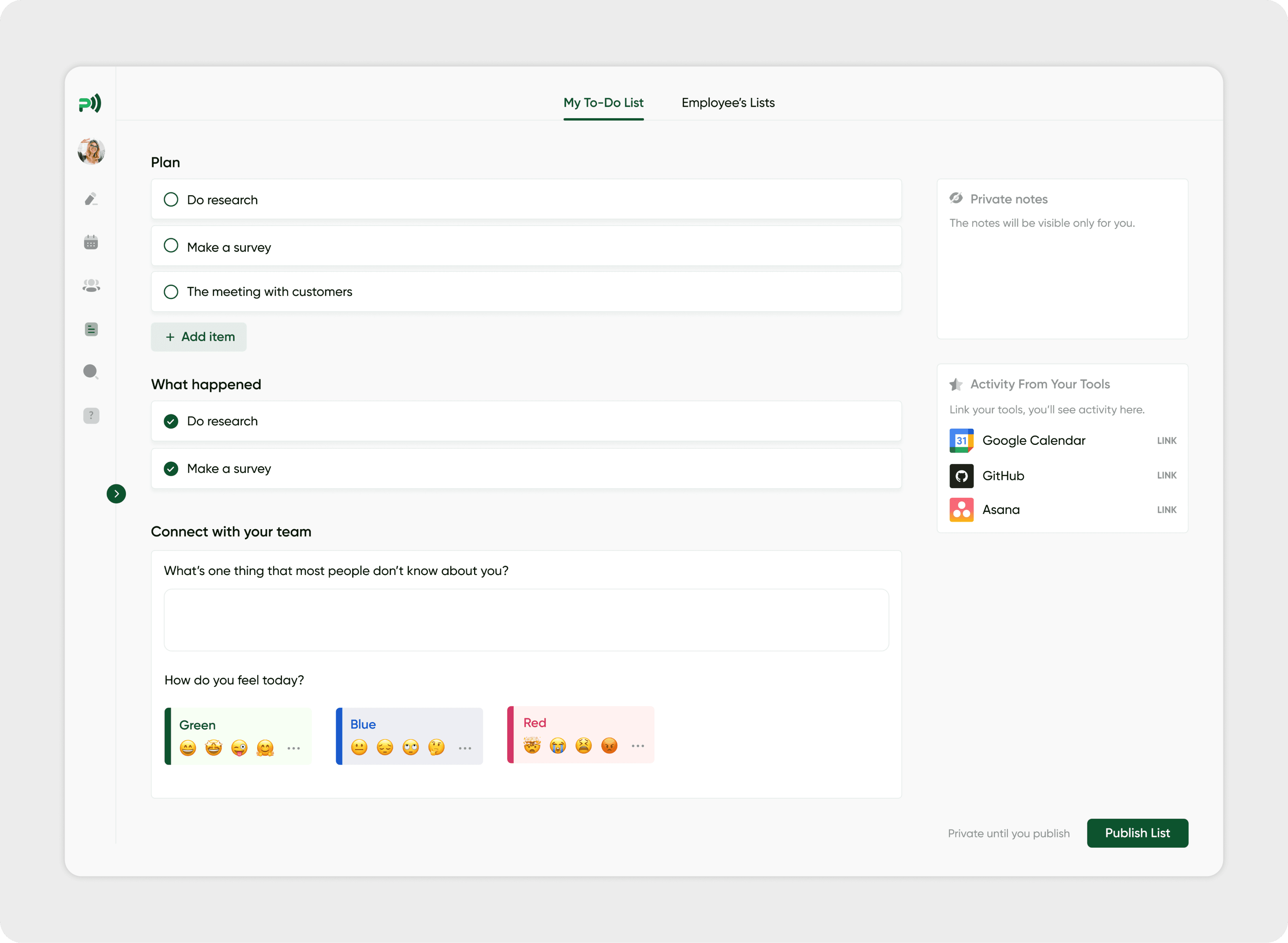
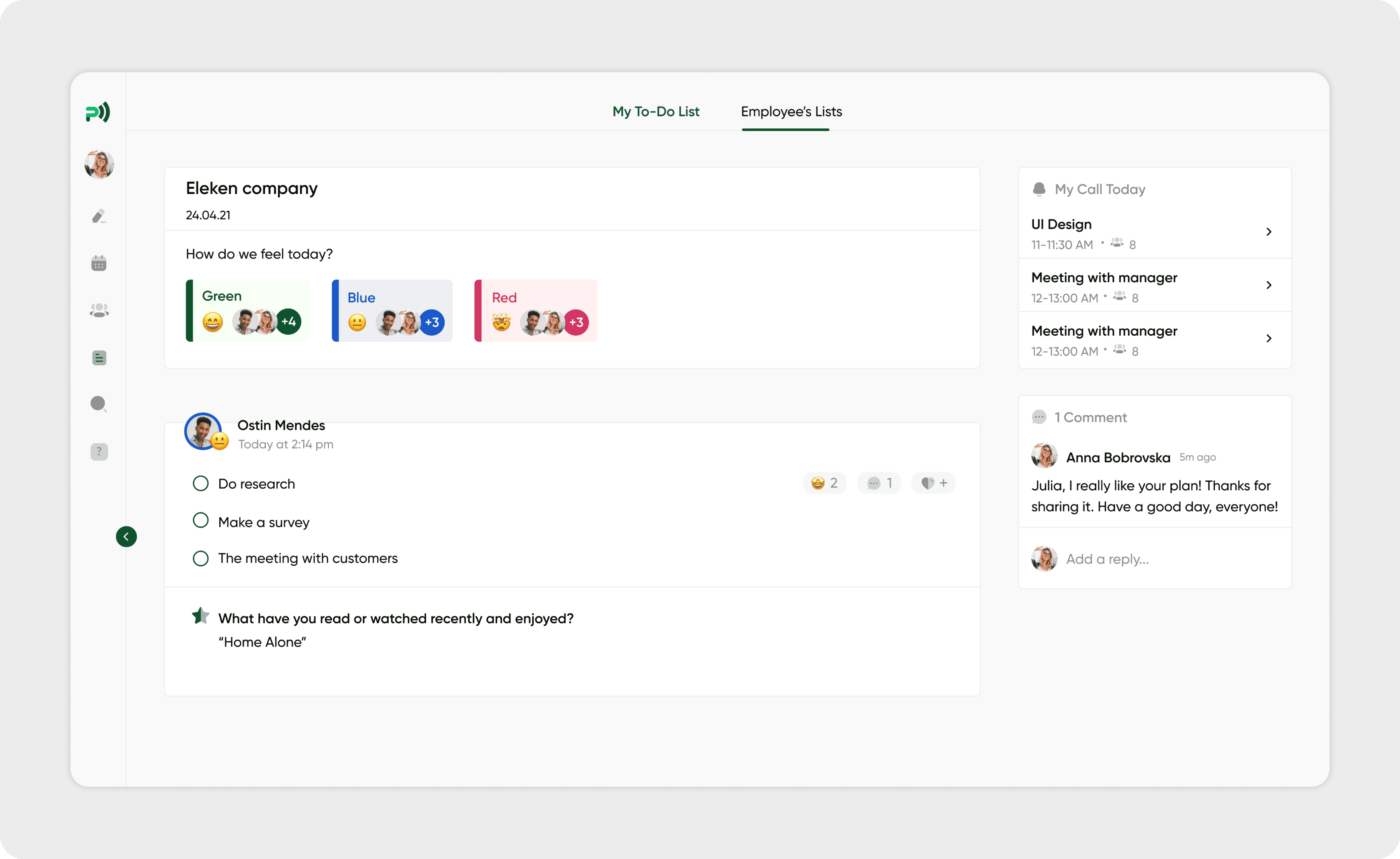
The To-Do List screen displays daily planning and completed tasks, supported by small social touchpoints such as mood sharing and short personal questions. These elements help users stay aware of their teammates’ emotional state and maintain a sense of connection during remote work, which can otherwise feel isolated.
The team view extends this idea by showing shared task lists, individual updates, and brief comments from coworkers. This transparency helps teams understand each other's workload, stay aligned on priorities, and collaborate more effectively.
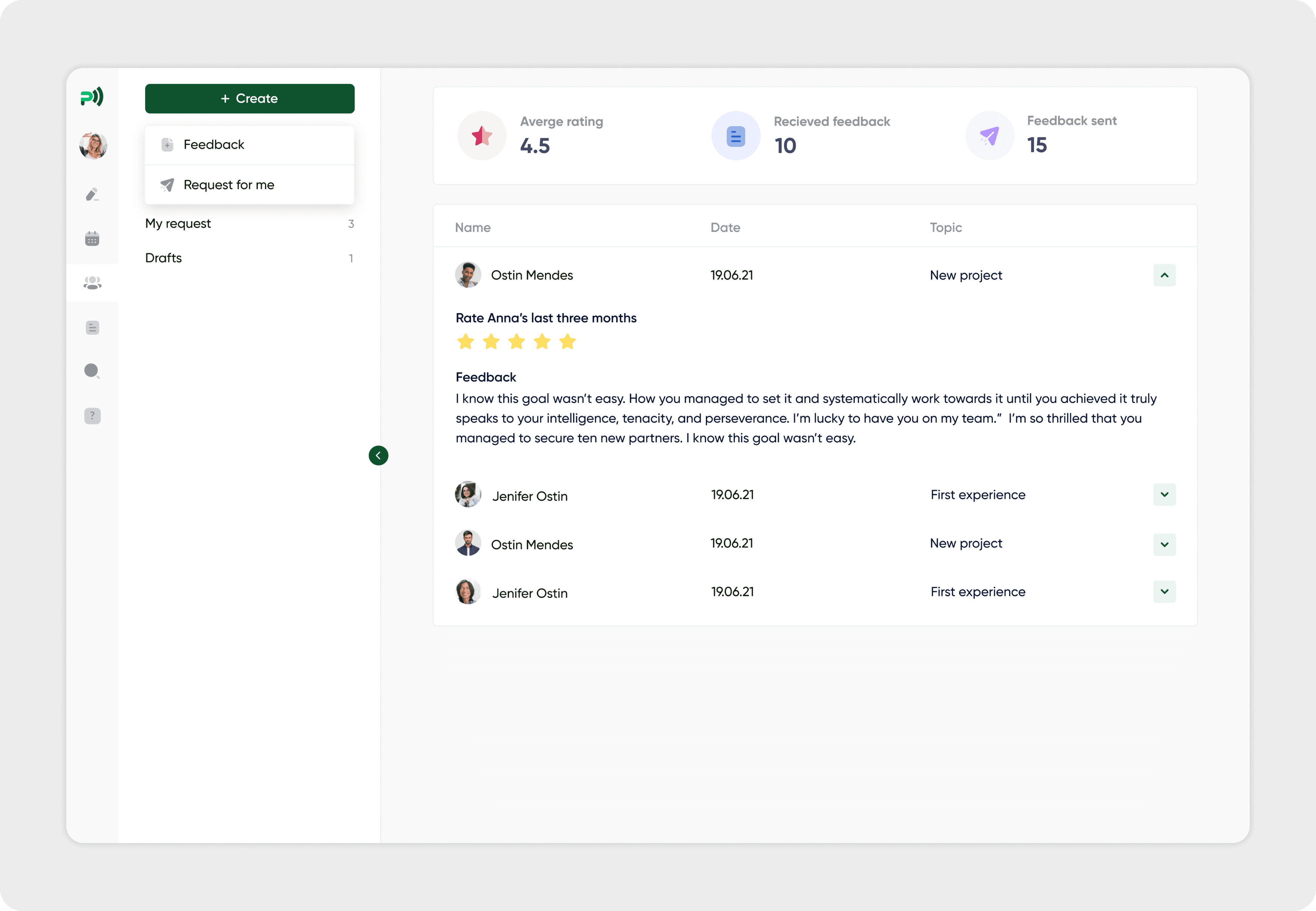
Feedback
The Feedback page visualizes how teammates exchange feedback, track received and sent reviews, and view detailed comments in a clean, structured way.
UI Kit
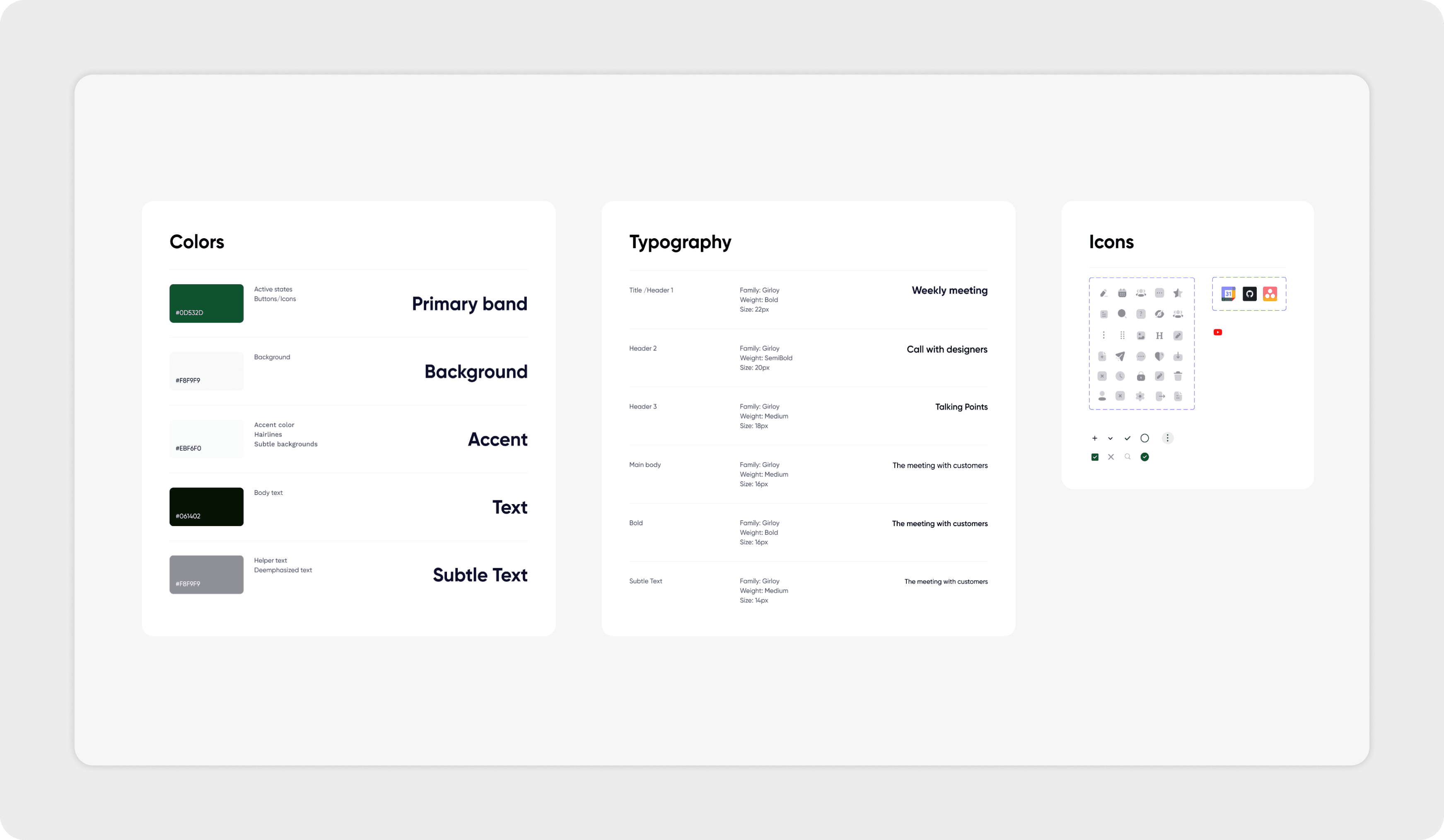
To ensure consistency across the product, I created a UI Kit that defined all core interface elements. It includes the color system, typography styles, iconography, button states, and navigation patterns.