Truck Manager - Mobile Game Design
Creating the UX/UI for the mobile simulation game “Truck Manager,” making complex mechanics clear and playable.
Client

- UI/UX Designer
My Role
- User Flows
- High-fidelity Designs
- Animation Designs & Flows
Deliverables
- From: February 2024
Timeline
About Project
Trophy Games is a Copenhagen-based studio known for building management and strategy games. Their titles focus on realistic systems, accessible gameplay, and long-term progression that keeps players engaged.
As part of our collaboration, I worked on designing their new mobile game Truck Manager — a transport-management simulator where players grow and run their own trucking company. My role was to shape the core user experience by designing key screens, flows, and systems that support intuitive gameplay, clear information, and smooth player progression.
Challenges
Because Truck Manager is a simulation game, it contains a large amount of data, tables, statistics, and reports that make the gameplay feel realistic. The main challenge was to present this complex information in a way that feels clear, lightweight, and still playful.
An additional task was to guide players through many different actions, such as upgrading trucks, planning routes, and managing finances, without overwhelming them. Designing user flows that feel simple and intuitive was essential for maintaining player engagement.
Key challenges included:
Data Complexity
Managing large amounts of game data without overwhelming players.
Engagement Balance
Keeping routine tasks from feeling repetitive.
Flow Variations
Creating clear flows for many different player actions.
System Clarity
Making realistic systems easy for new players to understand.
Beginning the Gameplay Flow
When I joined the Trophy Games team, the base UI Kit and core flow structures were already in place. My first major task was designing the game tutorial — the moment a new player opens the game for the very first time.
The goal was to introduce the main actions in the game without overwhelming the player, ensuring they stayed curious and motivated to continue exploring. I focused on creating a tutorial that felt simple, playful, and engaging, using animations and illustrations to make the experience feel more dynamic and enjoyable. In collaboration with the Product Owner, I defined the tutorial user flow and then began designing the screens and interactions that supported it.
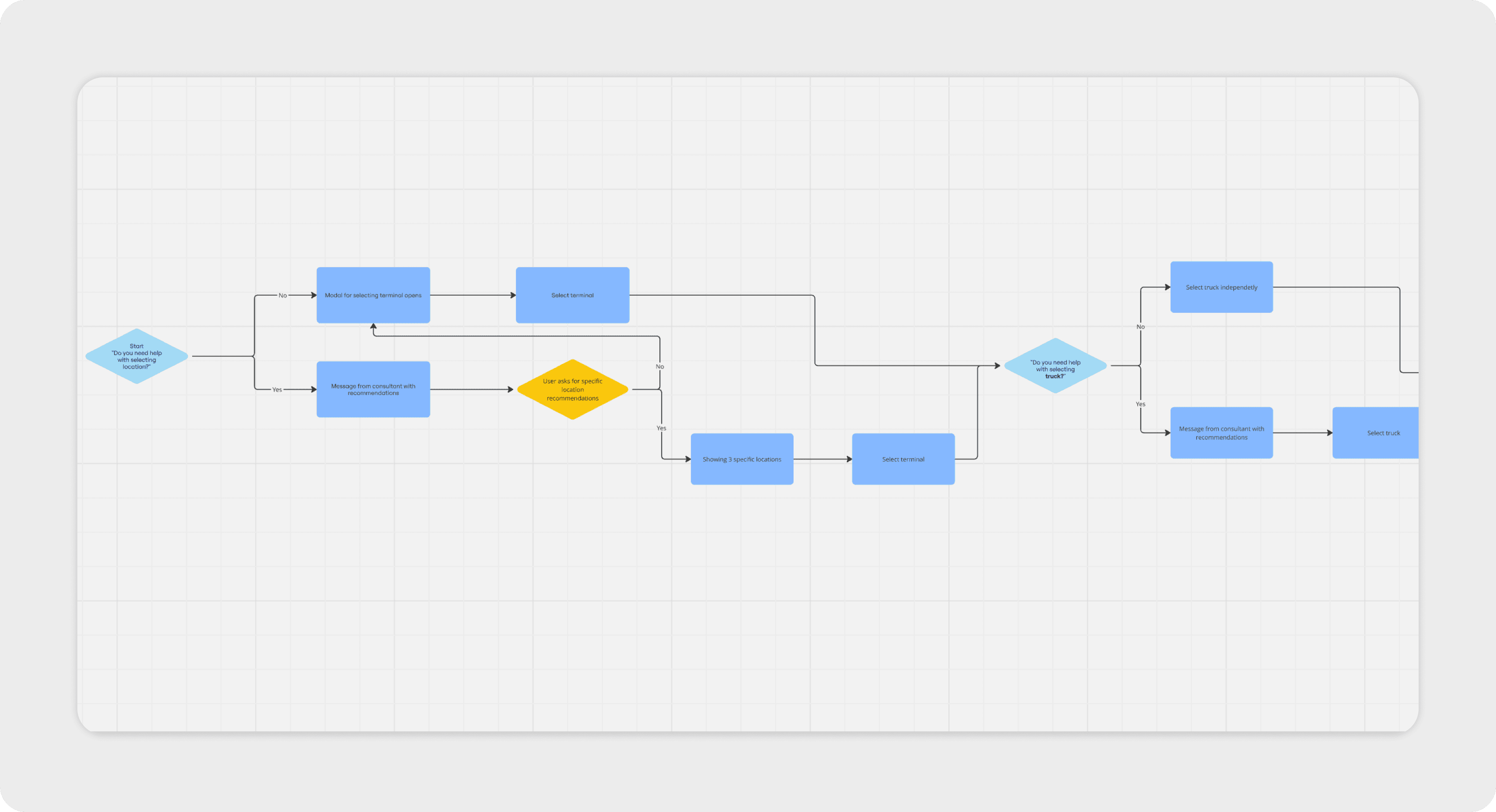
The final version of the tutorial guides the player through buying their first terminal, purchasing a truck, and registering their company. After the main onboarding, a checklist with additional lessons becomes available for the player to explore. To keep players motivated, each completed lesson rewards them with useful in-game prizes.
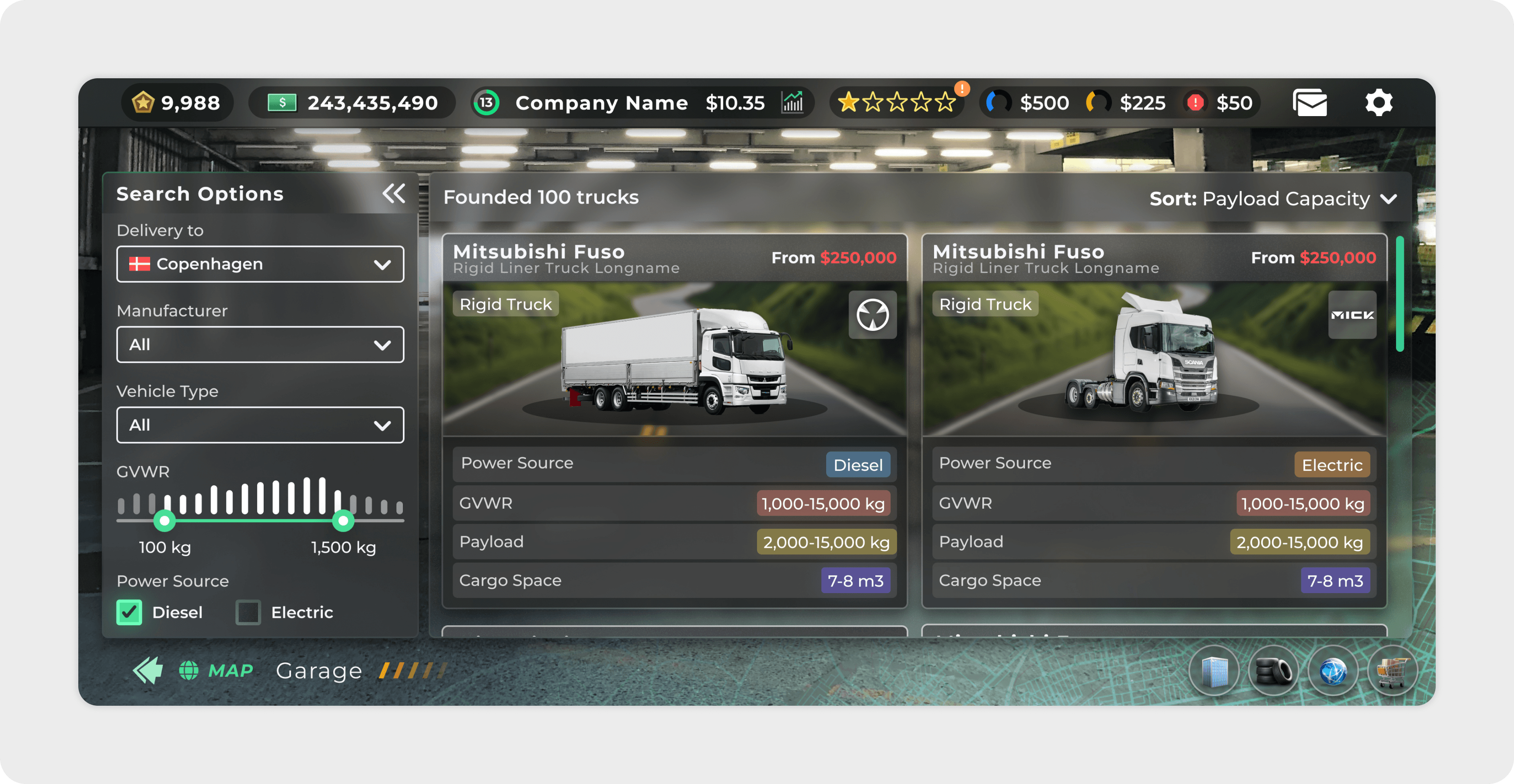
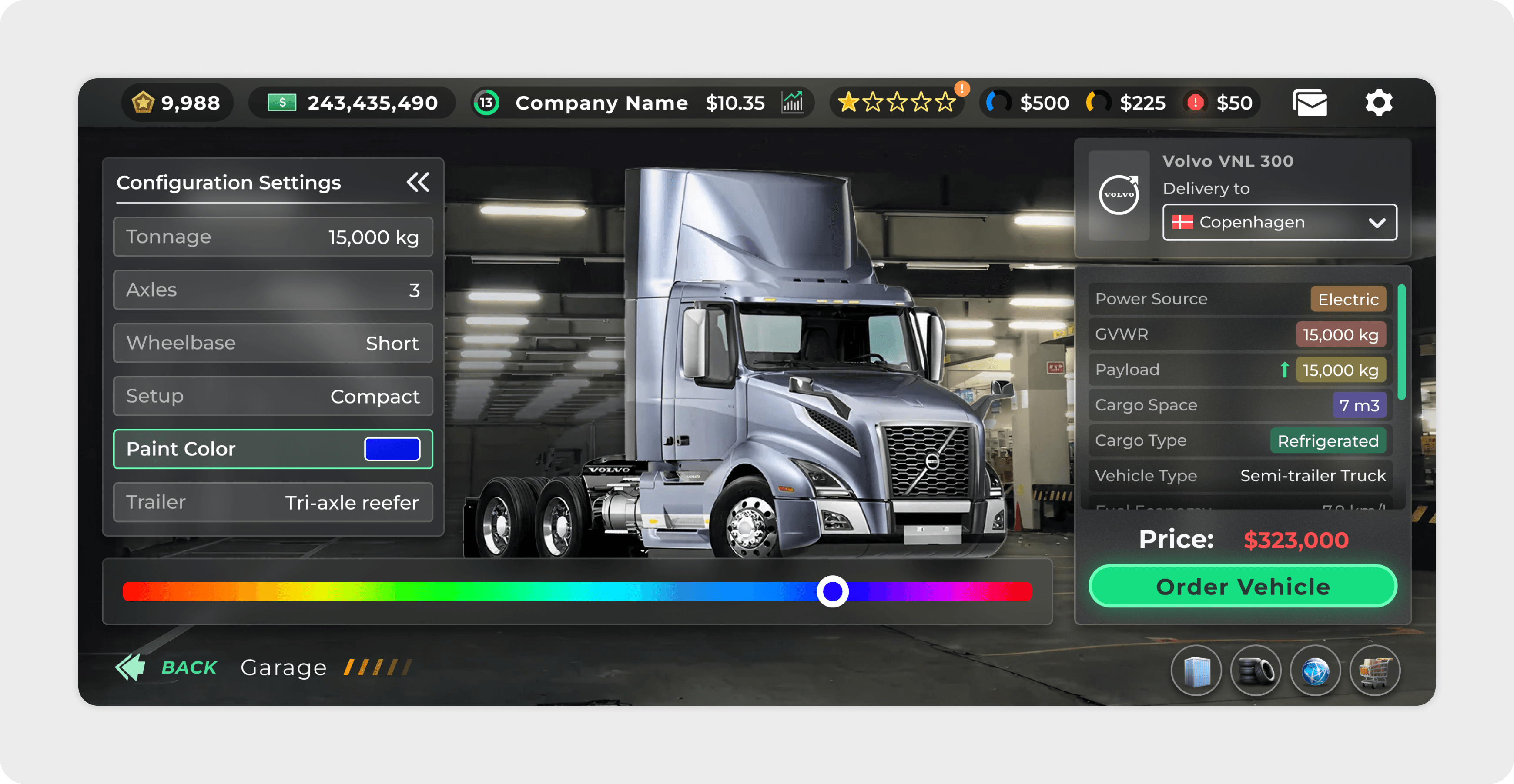
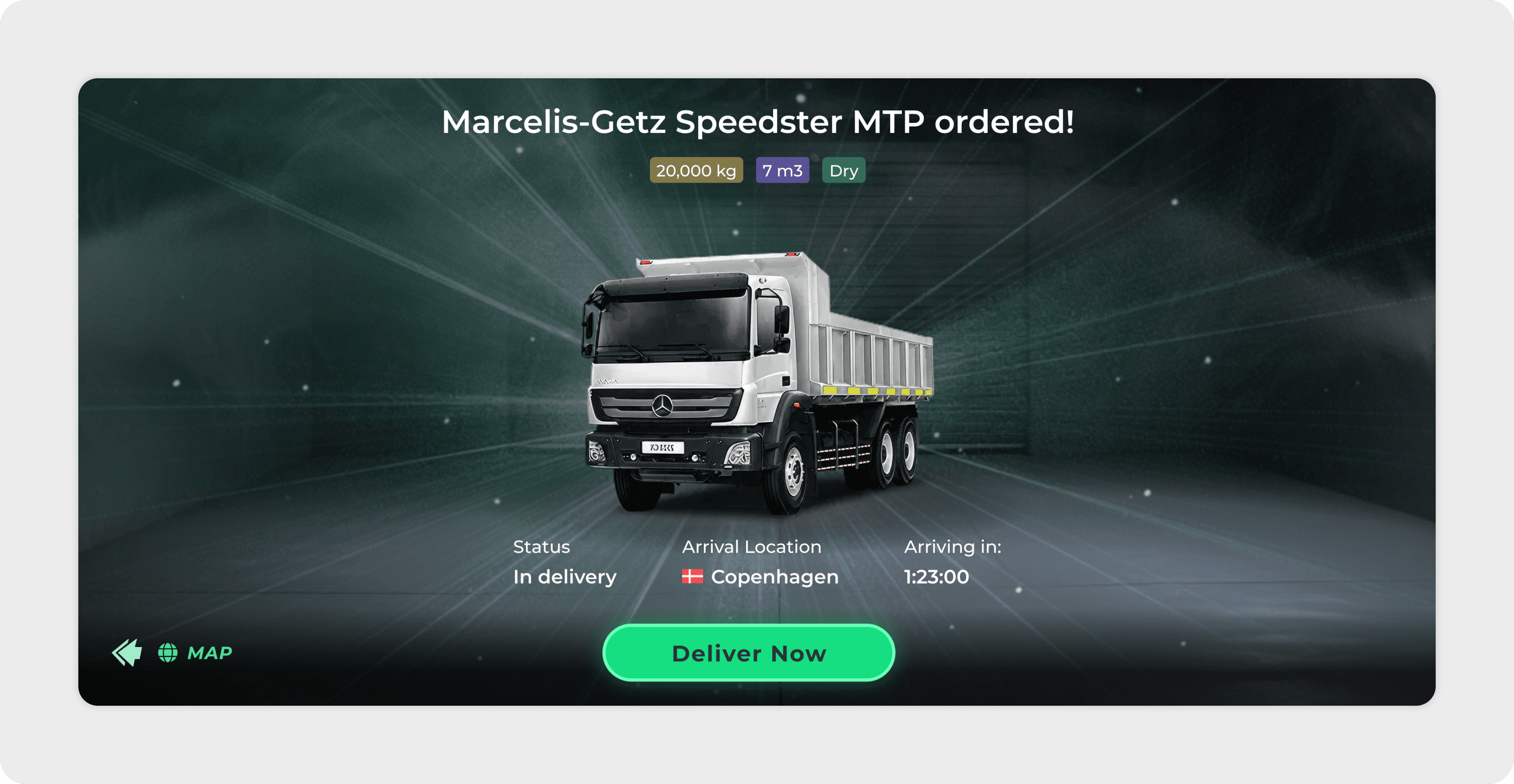
Truck Ordering Flow
One of the key actions in the game is buying new trucks to grow the player’s company. This feature allows players to customize their purchase by selecting options such as color, trailer type, and setup.
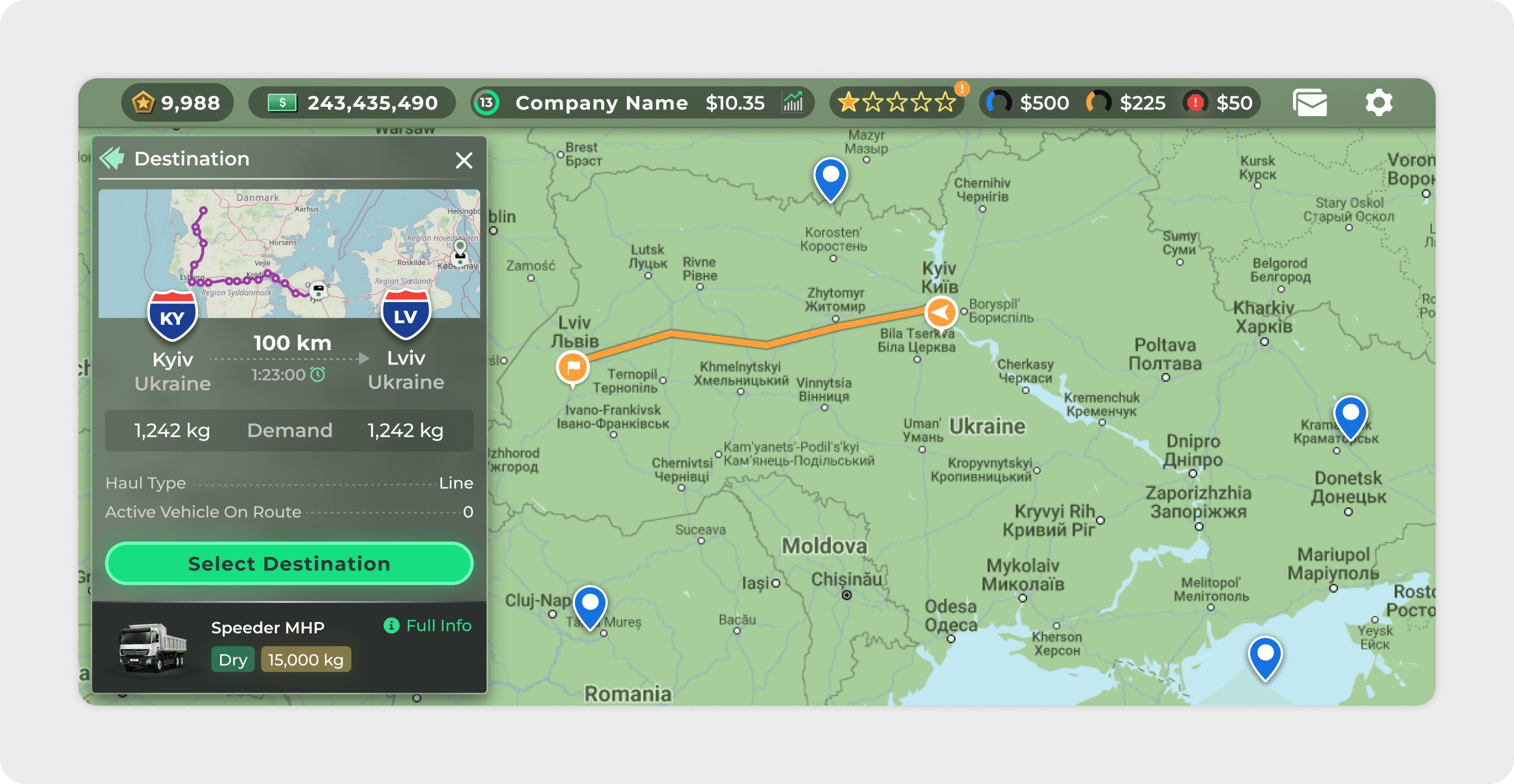
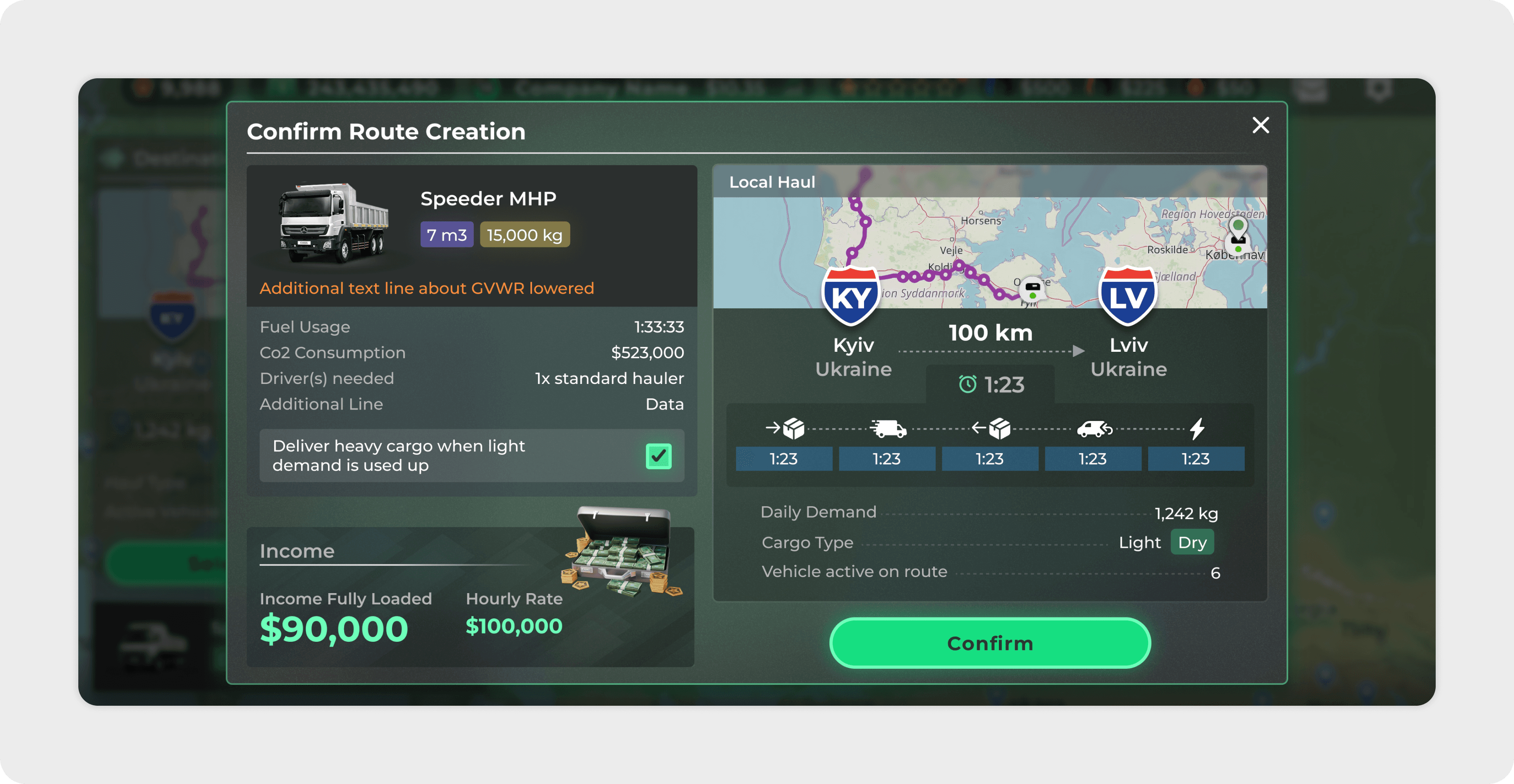
Creating a Route
To progress in the game, players need to create new routes and assign trucks to them in order to earn bonuses and in-game rewards.To make this process intuitive, the screen combines two main parts: a sidebar where players configure route settings, and a map where they can visually explore terminals, select destinations, and see the route preview.
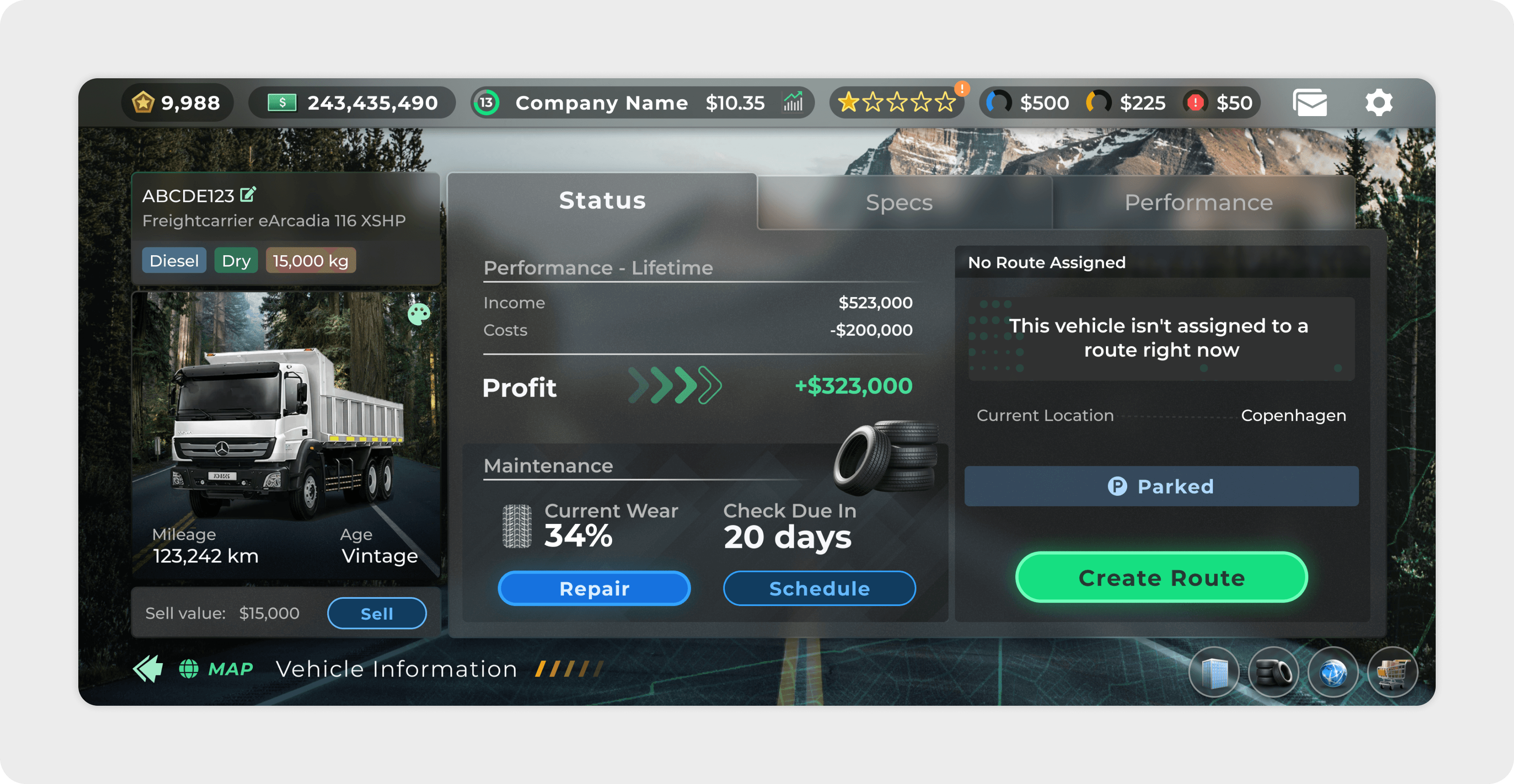
With stunning graphics, intuitive gameplay, and a soundtrack that perfectly complements the intense moments, you'll find yourself lost in its world for hours.
Feedback from UserHeadhunting & Team Management
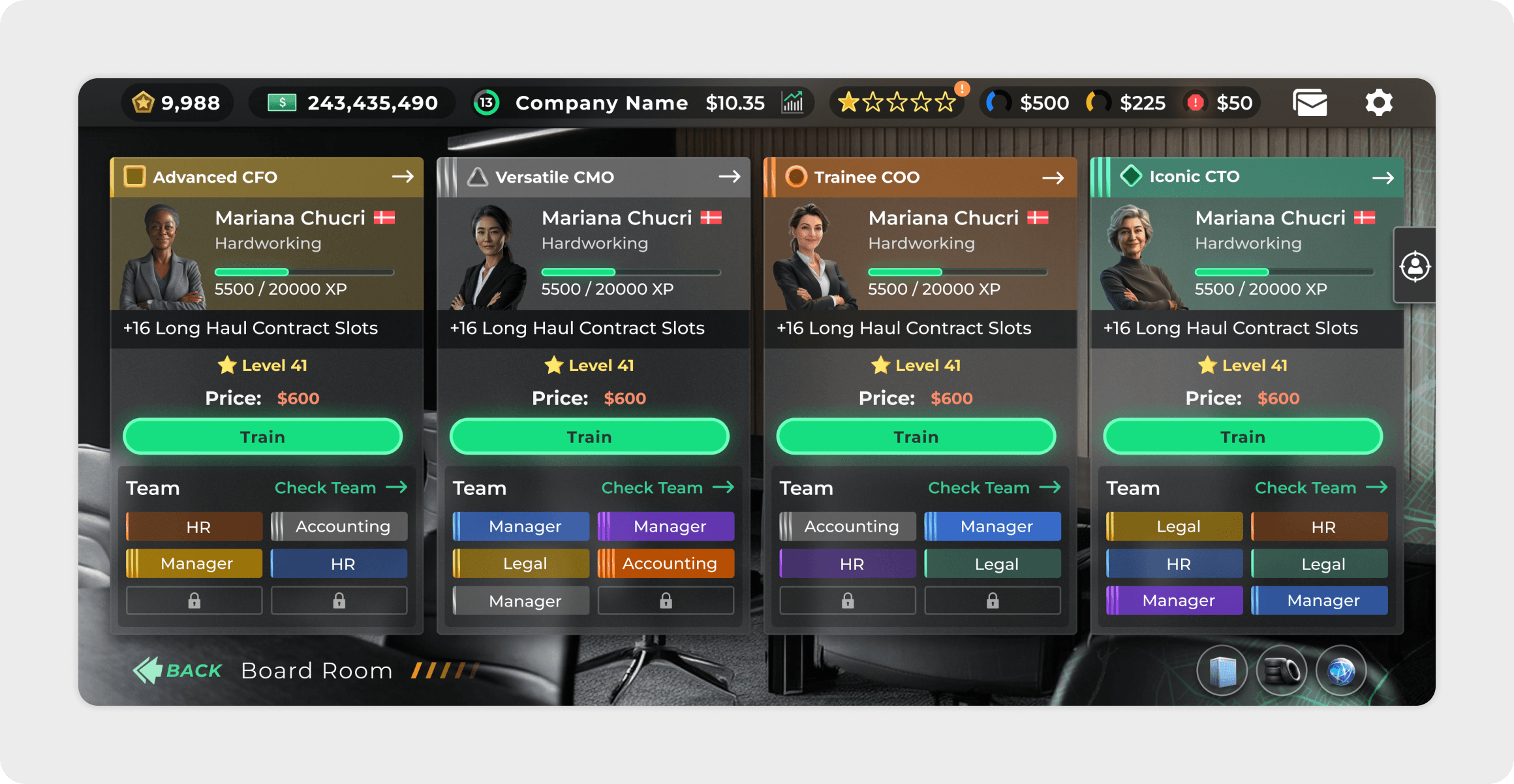
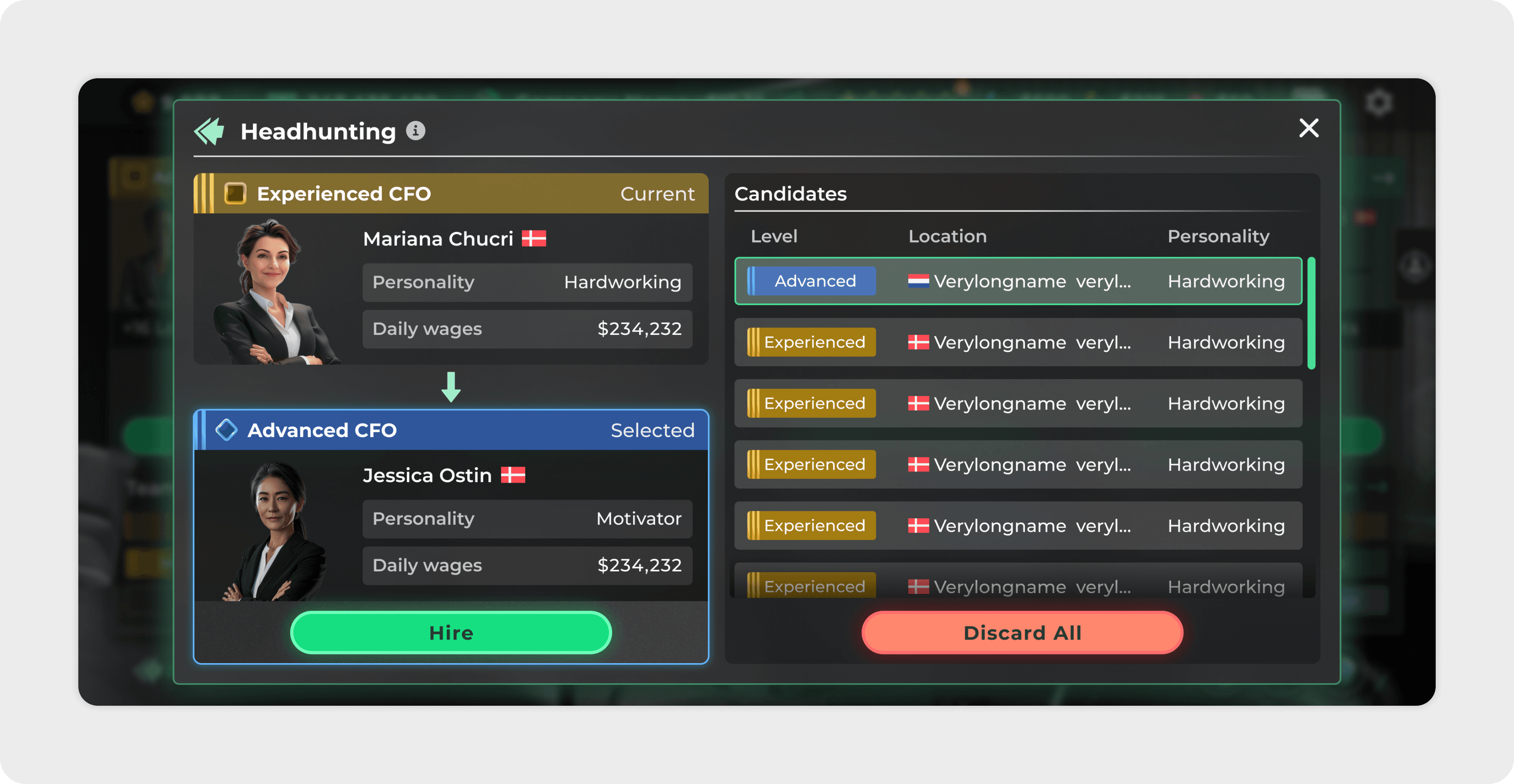
Players can manage the team of their company by hiring new employees, improving their skills, and organizing roles within the team. The headhunting feature allows players to compare candidates, review their personality traits and perks, and choose the best fit for their company’s needs.
Variety of Screens
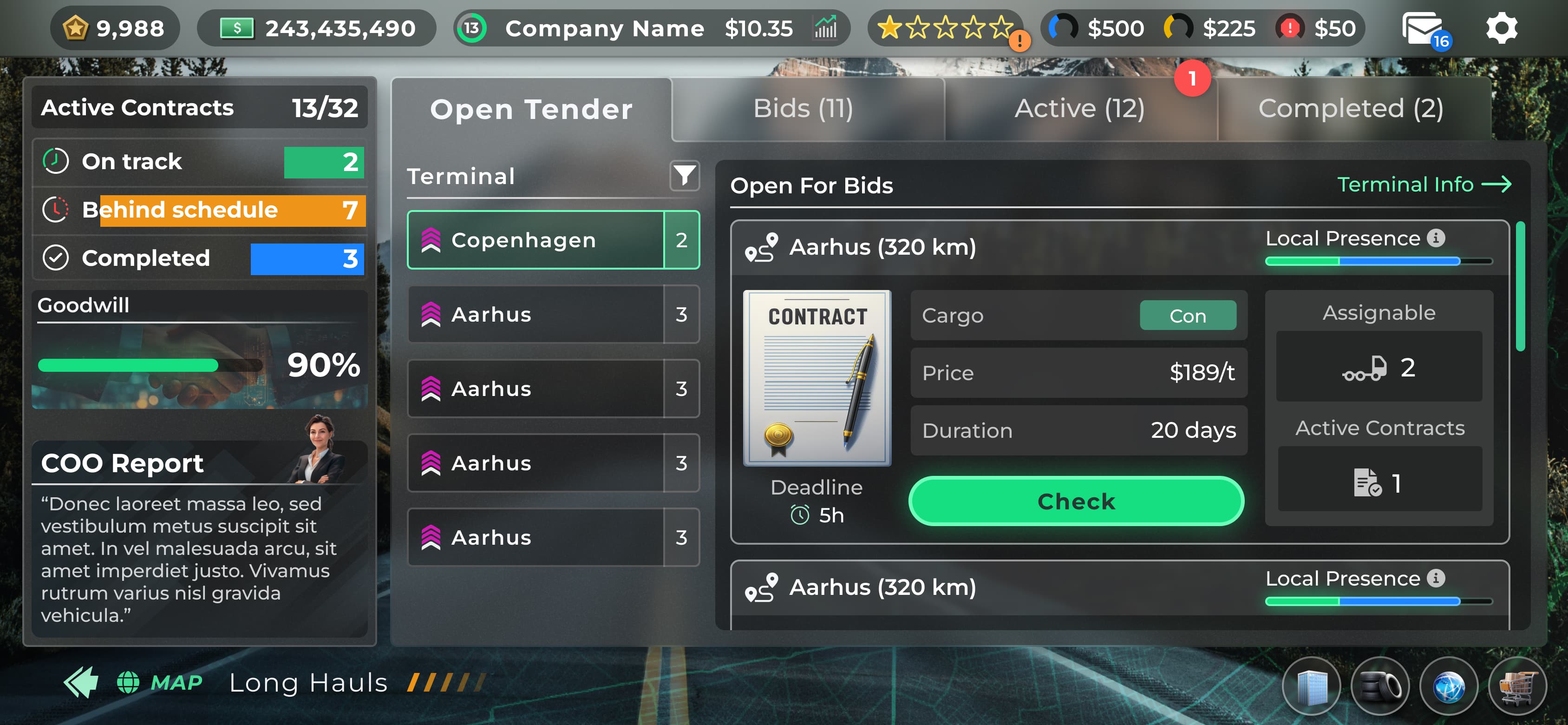
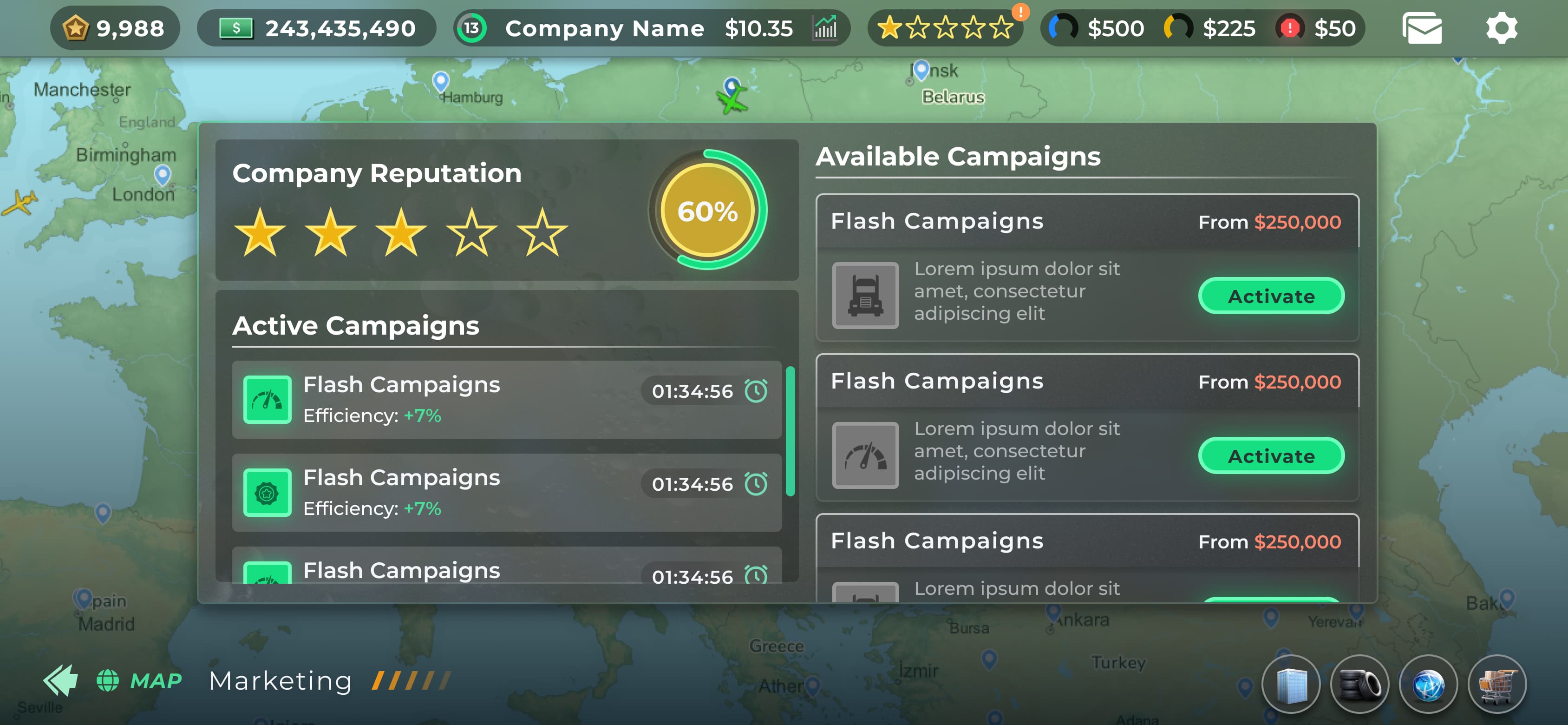
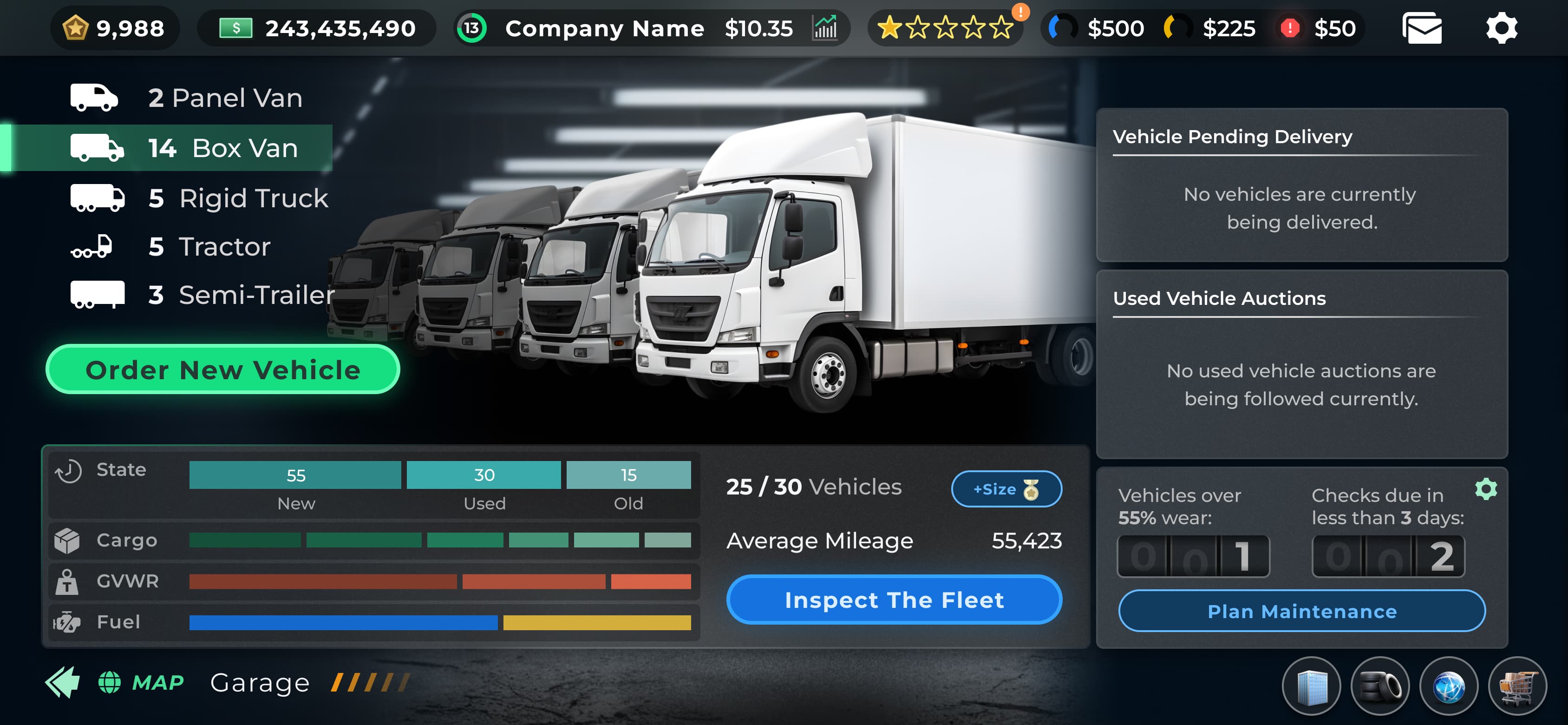
The game includes a wide range of screens and user flows, from data tables to graphs and interactive elements. Each flow required a creative approach to structuring the information, keeping the experience clear and playful while ensuring the entire game maintained a consistent visual style.
Designing the Animation
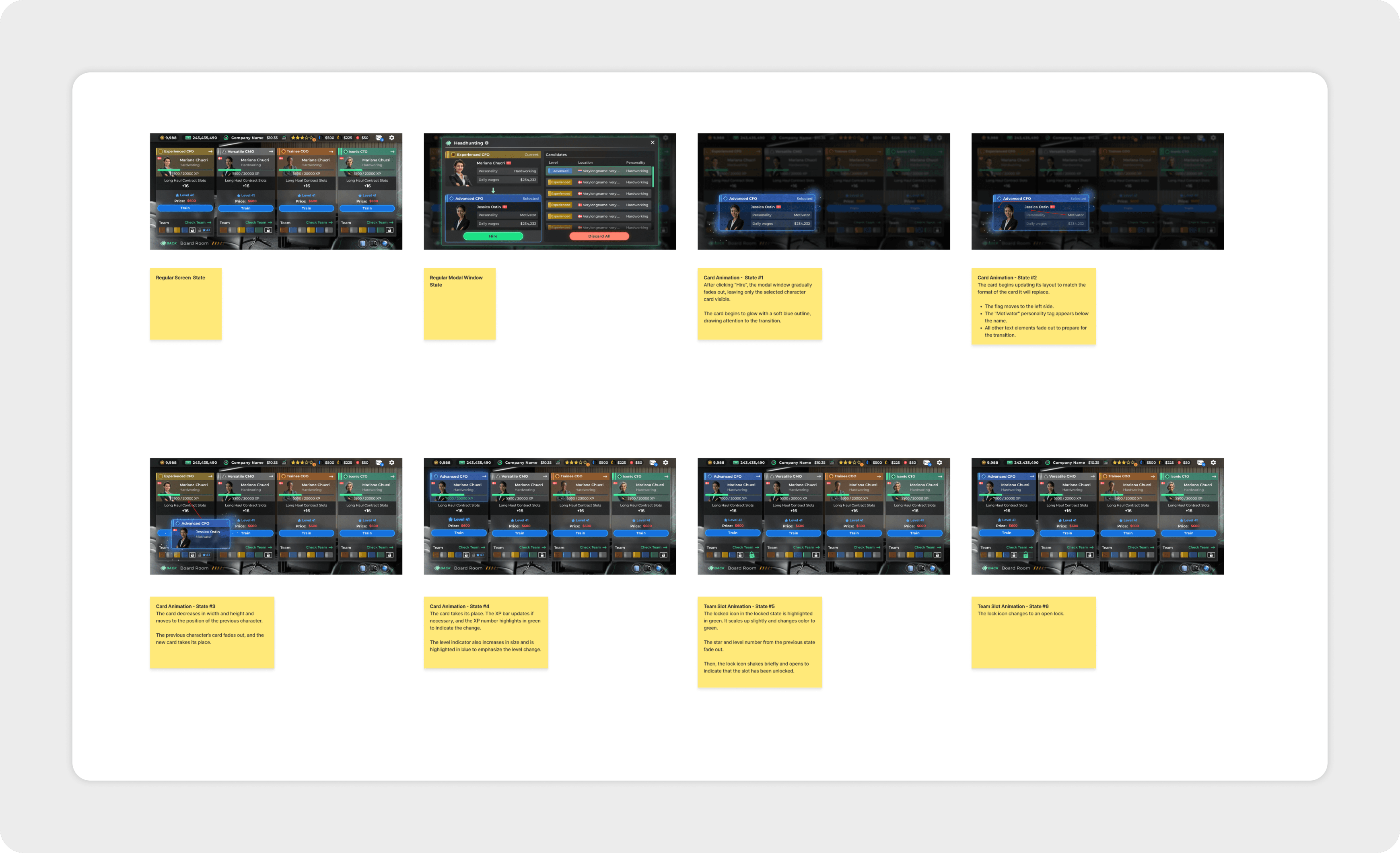
Another part of the project was designing animation flows for different in-game actions, such as receiving bonuses, hiring new team members, or launching marketing campaigns.
During this process, I was responsible for defining each stage of the animation and clearly documenting the interaction logic so the development team could implement it accurately.
Anna demonstrated strong project ownership and consistently delivered high-quality work on time. She quickly understood complex requirements, and her proactive approach ensured the UI/UX was fully ready for implementation ahead of the release deadline.